
Auth Methods
VaultLens lets you browse and manage all authentication methods configured in your Vault instance.
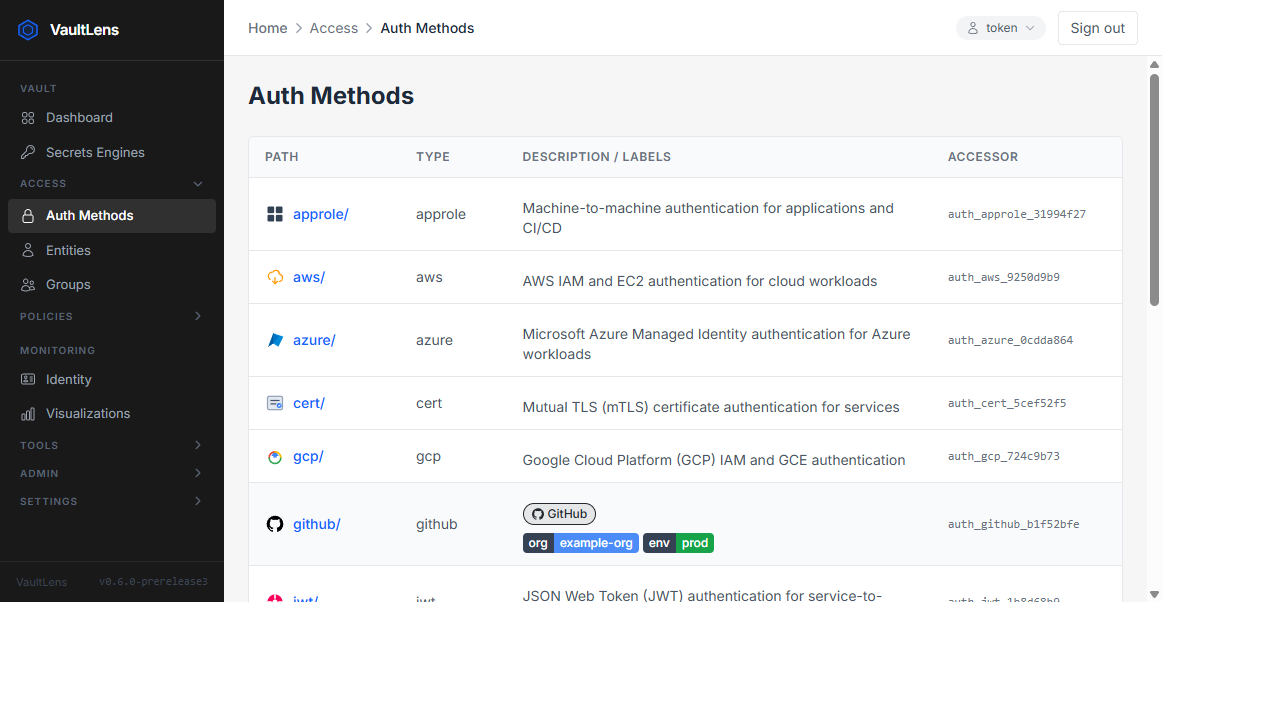
Auth Methods List
The Access → Auth Methods page shows all enabled auth methods with:
- Mount path and type
- Description (rendered as rich labels and links — see below)
- Accessor ID
Description Labels & Links
VaultLens parses the description field of each auth method and renders it as visual chips and link pills automatically — no extra configuration needed.
Key–Value Labels (Badges)
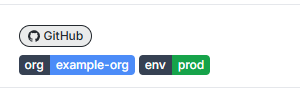
Any key=value or key:value pair in the description is rendered as a colour-coded badge chip.
Inline format — multiple pairs on one line, separated by spaces:
org=example-org env=prod
org:example-org env:prod
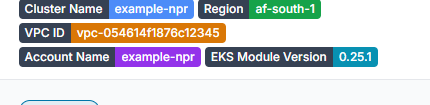
Newline format — one pair per line, supports multi-word keys:
Cluster Name: example-npr
Region: af-south-1
VPC ID: vpc-054614f1876c12345
Account Name: example-npr
EKS Module Version: 0.25.1
Both = and : are supported as separators. Spaces after the separator are optional.
Service Link Pills
Any HTTP(S) URL in the description is rendered as a clickable pill with a service icon when the URL matches a known service:
| Service | Detected by |
|---|---|
| GitHub | github.com or github.io |
| Kubernetes | kubernetes or k8s in the URL |
| Rancher | rancher in the URL |
| Argo / ArgoCD | argo or argocd in the URL |
| Backstage | backstage in the URL |
| Roadie | roadie in the URL |
Unrecognised URLs are shown as a truncated plain pill.
Combined Example
A description like:
org:example-org env:prod https://github.com/example-orgRenders as a GitHub link pill and two badge chips (org / example-org and env / prod).
A newline description like:
Cluster Name: example-npr
Region: af-south-1
VPC ID: vpc-054614f1876c12345
Account Name: example-npr
EKS Module Version: 0.25.1
https://kubernetes.rancher.example.com/nprd
Renders as five badge chips with their full multi-word key names, plus a Rancher link pill.
Setting Descriptions
Auth method descriptions are set when enabling or tuning the auth method in Vault:
# At enable time
vault auth enable \
  -description="org:example-org env:prod https://github.com/example-org" \
  github

# Or tune an existing mount
vault auth tune \
  -description="Cluster Name: example-npr
Region: af-south-1
EKS Module Version: 0.25.1" \
  kubernetes/
Plain text (no = or :) is displayed as a standard description paragraph below the badges.
Auth Method Detail
Click any auth method to view its details across three tabs:
Roles Tab
Lists all roles defined for the auth method. Click a role to view its configuration (bound service account names, token policies, TTLs, etc.).
Supported auth method types with role browsing:
- Kubernetes
- AppRole
- GitHub
- JWT/OIDC
- AWS
- GCP
- Azure
- LDAP
- UserPass
Empty State
If an auth method has no roles configured, the Roles tab shows an empty table — not an error.
Configuration Tab
Shows the current configuration for the auth method (e.g., Kubernetes host, CA cert, JWT validation settings). Fields are read-only in this view.
Method Options Tab
Shows the tuned mount options: default/max lease TTL, token type, and other mount-level settings.
OIDC Login
VaultLens supports OIDC login via a popup flow. If your Vault has an OIDC auth method enabled:
- On the login page, select the OIDC mount
- Click Login with OIDC — a popup opens for the identity provider
- After completing authentication, the popup closes and you are logged in
The OIDC callback page (/oidc-callback/:mountPath) is always accessible without authentication.