
Custom Branding
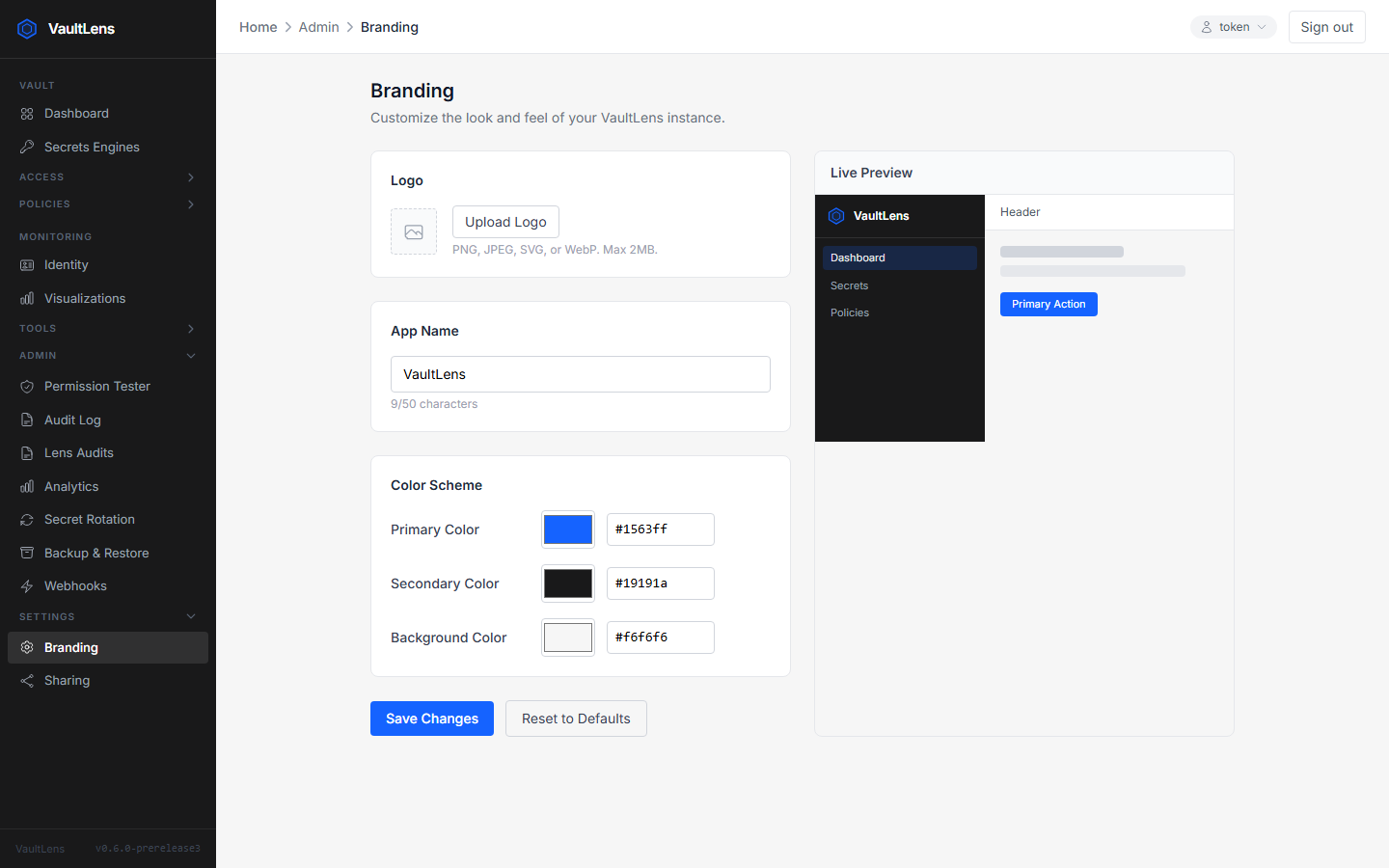
VaultLens supports full white-labeling with your organization's branding.
Accessing Branding Settings
Navigate to Admin → Branding.
INFO
Branding settings require the vaultlens-admin policy (or root).
Available Settings
| Setting | Description |
|---|---|
| Application Name | Replaces "VaultLens" in the header and page title |
| Logo | Custom logo image (PNG, JPG, SVG — shown in the header) |
| Primary Color | Main accent color for buttons and highlights |
| Secondary Color | Secondary accent color |
| Background Color | Sidebar and header background color |
Live Preview
Changes are previewed in real-time before saving. Click Save to apply them globally (all users see the new branding immediately).
Resetting to Defaults
Click Reset to Defaults to remove all custom branding and revert to the VaultLens defaults.
Storage
Branding settings (colors, app name) are stored in VaultLens's config storage (config.ini in file mode, or a Vault KV entry in vault mode).
Logo images are stored as binary blobs:
- File mode — in the
VAULTLENS_CONFIG_PATH/blobs/directory - Vault mode — as base64-encoded values in the Vault KV config engine
Public Access
The branding endpoint (GET /api/branding) is public — it's fetched before login so the login page also shows your custom branding.