
Secure Secret Sharing
VaultLens lets you share secrets securely with anyone — even people without Vault access.
How It Works
Secrets are encrypted in your browser using OpenPGP (AES-256) before being sent to the server. The encryption key is embedded in the share URL's fragment (#key) — which is never sent to the server. The server stores only ciphertext.
URL: https://vaultlens.example.com/shared/<id>#<decryption-key>
                                                  ↑
                                    Never sent to server (URL fragment)
Creating a Shared Secret
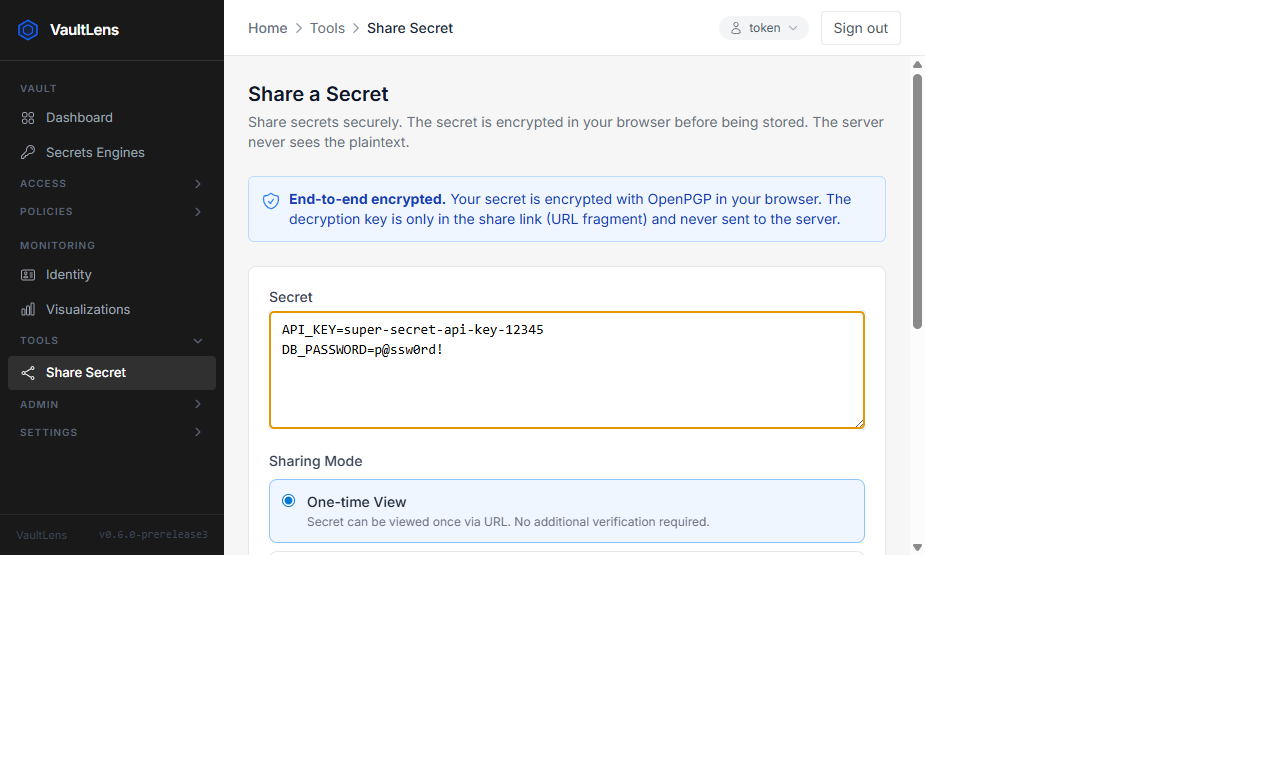
- Navigate to Tools → Share a Secret
- Enter the secret value
- Set an expiration (1 hour to 7 days)
- Optionally enable One-time view (self-destructs after first retrieval)
- Click Create Share — copy the generated URL
Viewing a Shared Secret
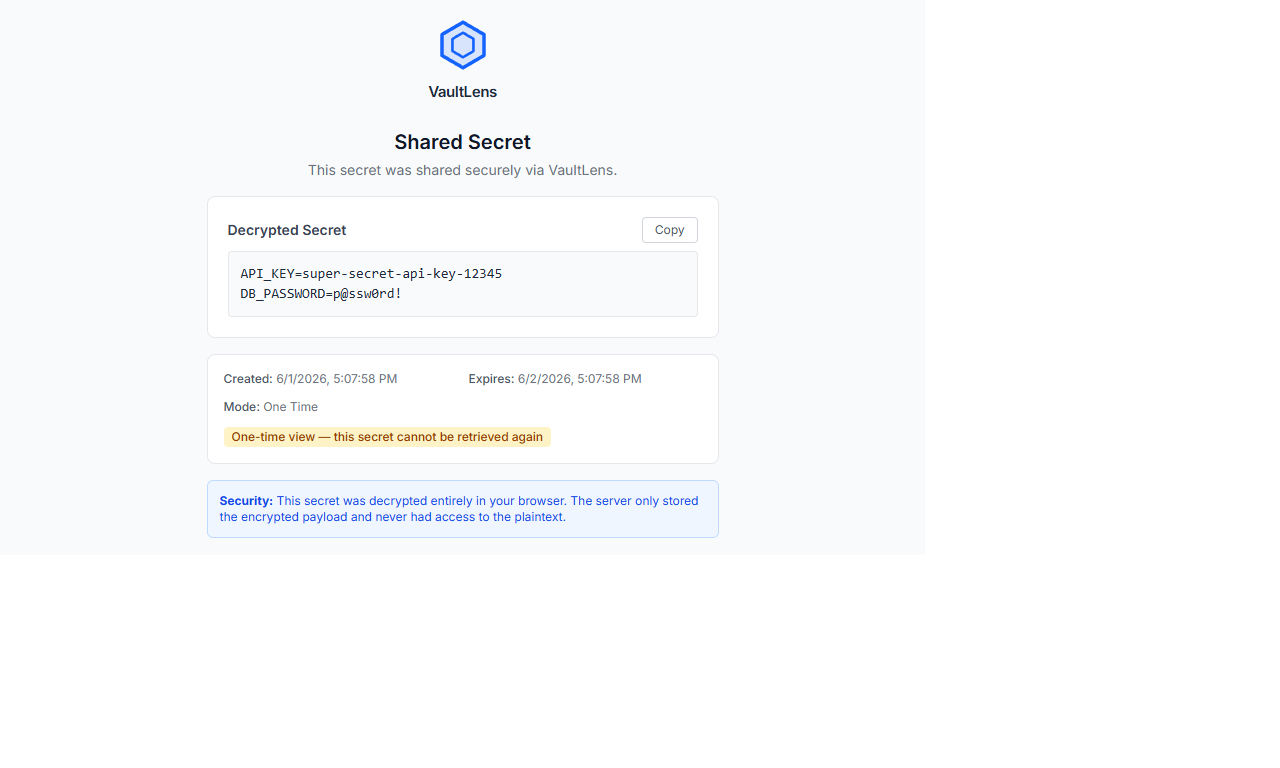
Open the share URL in any browser — no Vault account required. The page decrypts the secret entirely in the browser using the key from the URL fragment.
If One-time view was enabled, the secret is deleted from the server after the first retrieval.
Security Properties
- End-to-end encrypted — server never sees plaintext
- Key in URL fragment — not transmitted in HTTP requests or server logs
- Configurable expiration — 1 hour, 1 day, 3 days, or 7 days
- One-time view — automatically deleted after first access
- Rate limiting — 20 requests per minute on the public retrieval endpoint
- Size limit — 100 KB maximum payload
- Capacity limit — max 1,000 active shares (oldest are cleaned up automatically)
Sharing Settings
Admins can configure sharing defaults under Admin → Sharing Settings.