
Secret Auto-Rotation
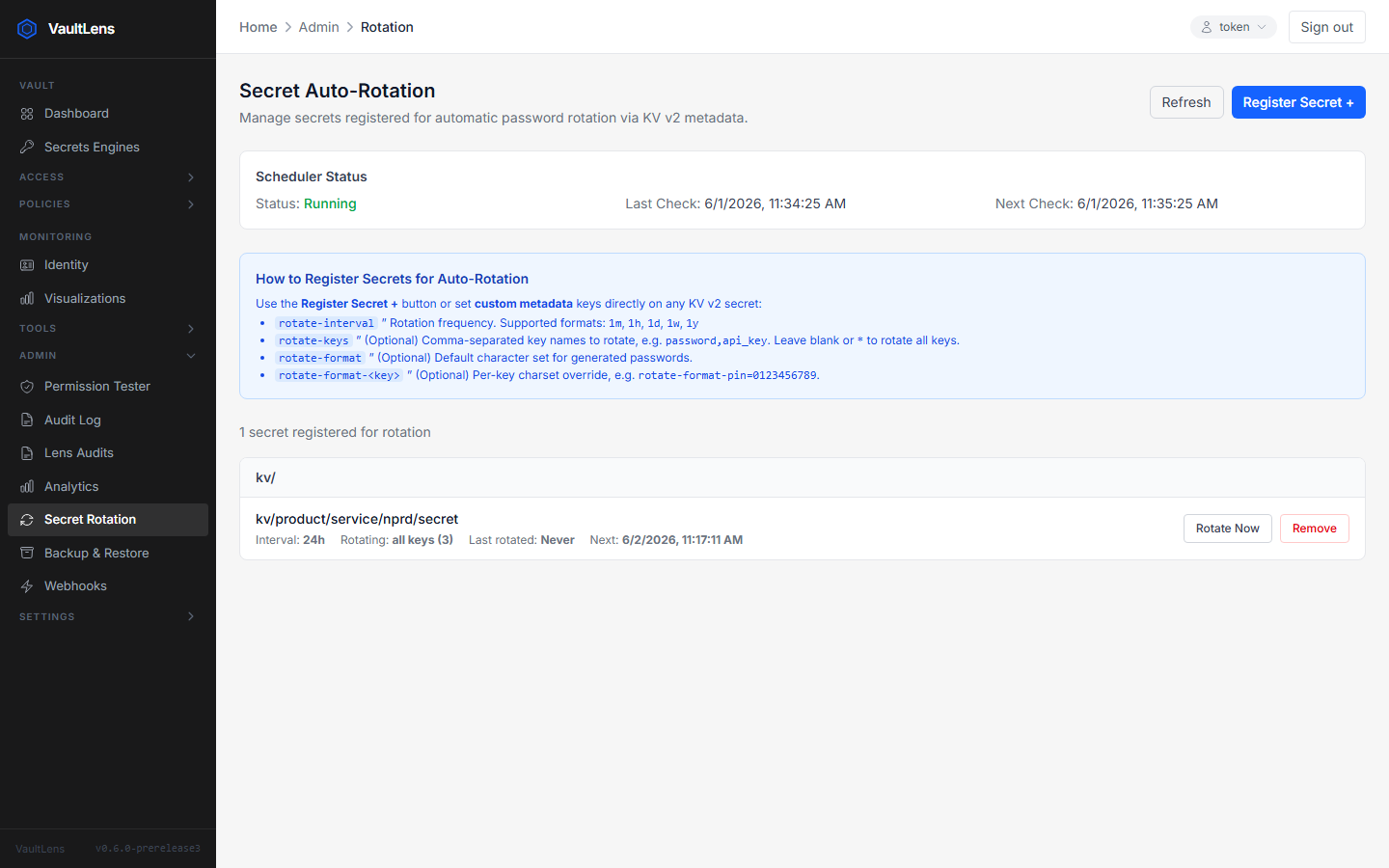
VaultLens can automatically rotate KV v2 secret values on a schedule, using Vault's native custom metadata to store rotation configuration alongside the secret itself.
Enabling Rotation
Add these keys to a KV v2 secret's custom metadata:
| Key | Required | Example | Description |
|---|---|---|---|
rotate-interval | Yes | 7d | How often to rotate (see formats below) |
rotate-format | No | alphanumeric | Generated password format |
Interval Formats
| Format | Example | Description |
|---|---|---|
| Days | 7d | Every 7 days |
| Hours | 24h | Every 24 hours |
| Minutes | 30m | Every 30 minutes |
| Weeks | 2w | Every 2 weeks |
Password Formats
| Format | Description |
|---|---|
alphanumeric (default) | Letters and digits |
hex | Hexadecimal characters |
base64 | Base64 characters |
numeric | Digits only |
Rotation Scheduler
VaultLens checks for eligible secrets every 60 seconds at startup. A secret is eligible for rotation if:
- Its custom metadata contains
rotate-interval - The elapsed time since last rotation (or creation) exceeds the interval
When a secret rotates, VaultLens generates a new random value using rejection sampling and writes it to the secret using the system token. A new KV v2 version is created, preserving all previous versions.
Rotation Status
View the rotation scheduler status and recent rotation events under Admin → Secret Rotation.
The page shows:
- Scheduler enabled/disabled state
- Last check time and next scheduled check
- List of secrets registered for rotation with their intervals
- Manual rotation trigger button (for testing)
Manual Rotation
Click Rotate Now on any registered secret to immediately rotate it, regardless of its scheduled interval.
Notes
- Rotation uses the system token to read and write secrets — it operates independently of any logged-in user
- Only KV v2 secrets support custom metadata (and therefore auto-rotation)
- Rotation generates a new password field value; all other fields in the secret are preserved