
Backup & Restore
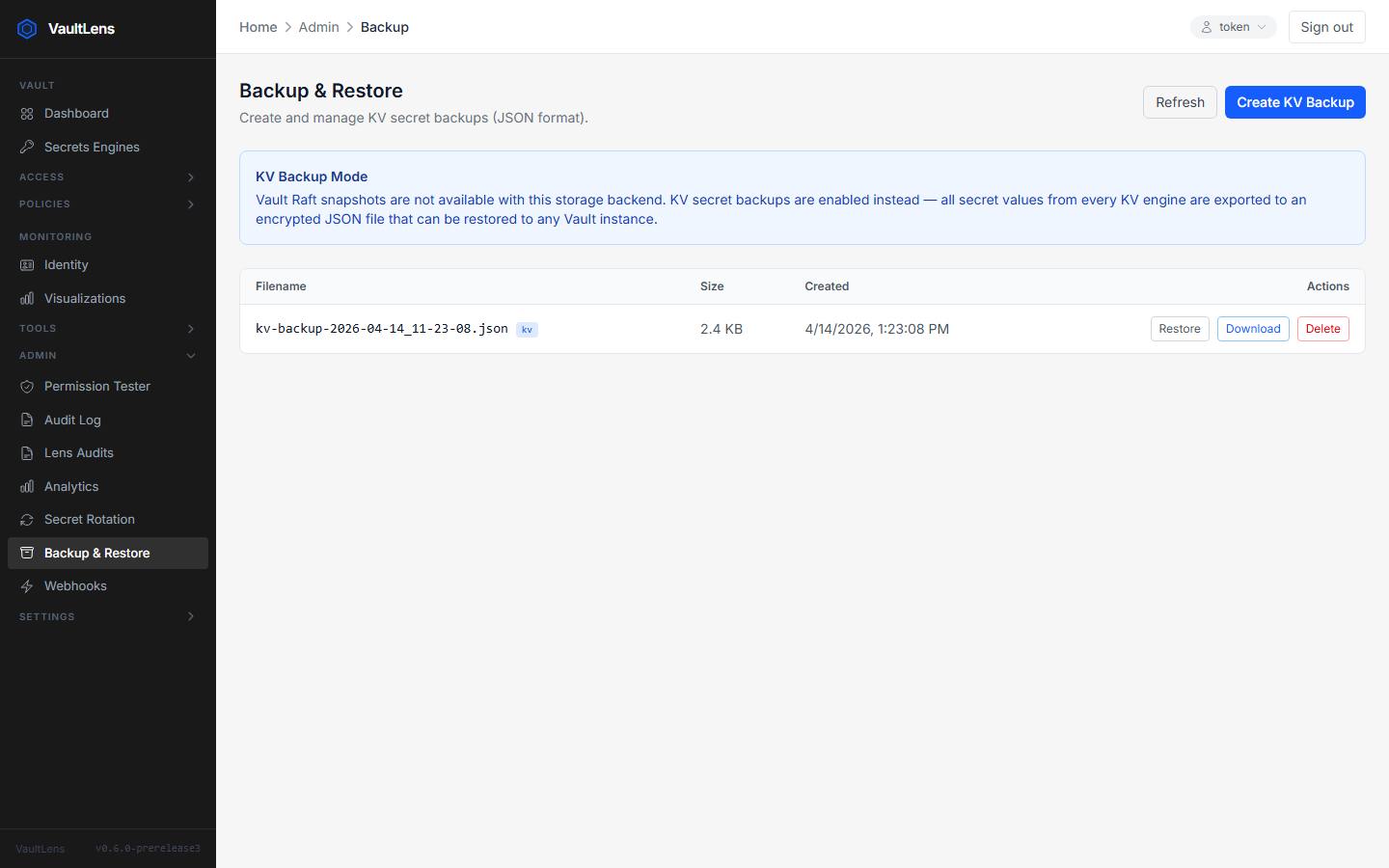
VaultLens can create and restore full backups of all KV secrets across all mounted engines.
Creating a Backup
Navigate to Admin → Backup & Restore and click Create Backup Now. VaultLens:
- Lists all KV engines
- Recursively lists all secret paths in each engine
- Reads every secret (using the system token)
- Writes a single timestamped JSON file containing all secrets and their metadata
Backup files are stored in the configured VAULTLENS_BACKUP_PATH directory (default: /backups).
Restoring a Backup
- Click Restore next to any backup in the list
- Confirm the restore
- VaultLens writes all secrets from the backup back to Vault using the system token
WARNING
Restore is additive — it writes secrets from the backup but does not delete secrets that exist in Vault but not in the backup. Existing secrets at the same paths will be overwritten.
Backup Schedule
Configure automatic backups under Admin → Backup & Restore → Schedule:
| Interval | Example |
|---|---|
| Minutes | 30m |
| Hours | 6h |
| Days | 1d |
| Weeks | 1w |
The backup scheduler runs at server startup and checks every minute for due backups.
Backup File Format
Backup files are JSON with the structure:
{
  "version": 1,
  "created_at": "2024-01-15T10:30:00.000Z",
  "engines": {
    "secret/": {
      "type": "kv",
      "version": 2,
      "secrets": {
        "myapp/config": {
          "data": { "username": "admin", "password": "..." },
          "metadata": { ... }
        }
      }
    }
  }
}
Downloading & Uploading Backups
Backup files can be downloaded directly from the Admin UI for off-site storage. You can also upload a previously downloaded backup file to restore from it.
Security Notes
- Backup files contain all secret values in plaintext — protect them accordingly
- Backups are performed using the system token, which requires
vaultlens-systempolicy permissions - File-mode backups are stored on the VaultLens server's filesystem; ensure appropriate filesystem permissions